
 한국어
한국어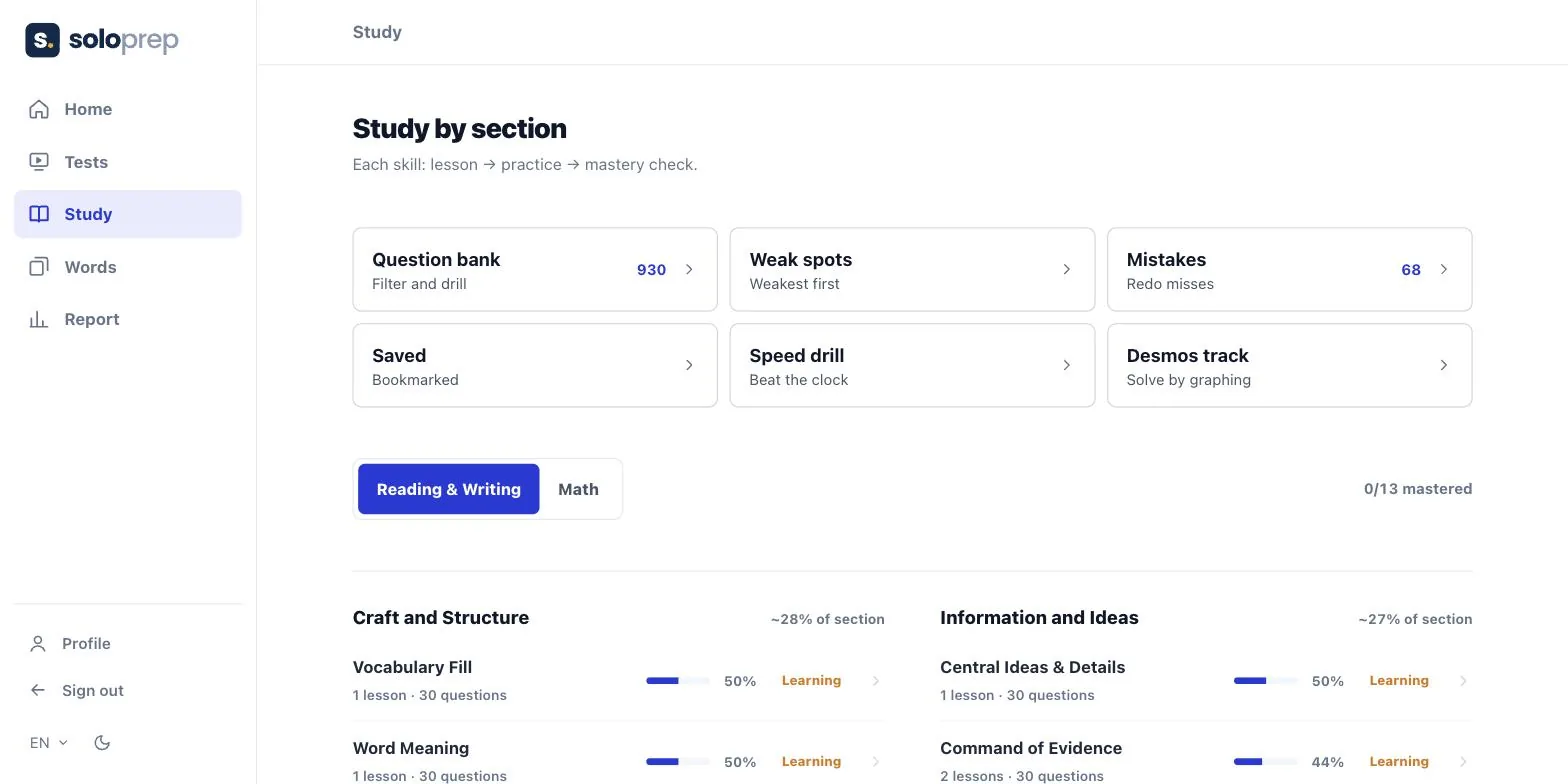
What is on the platform
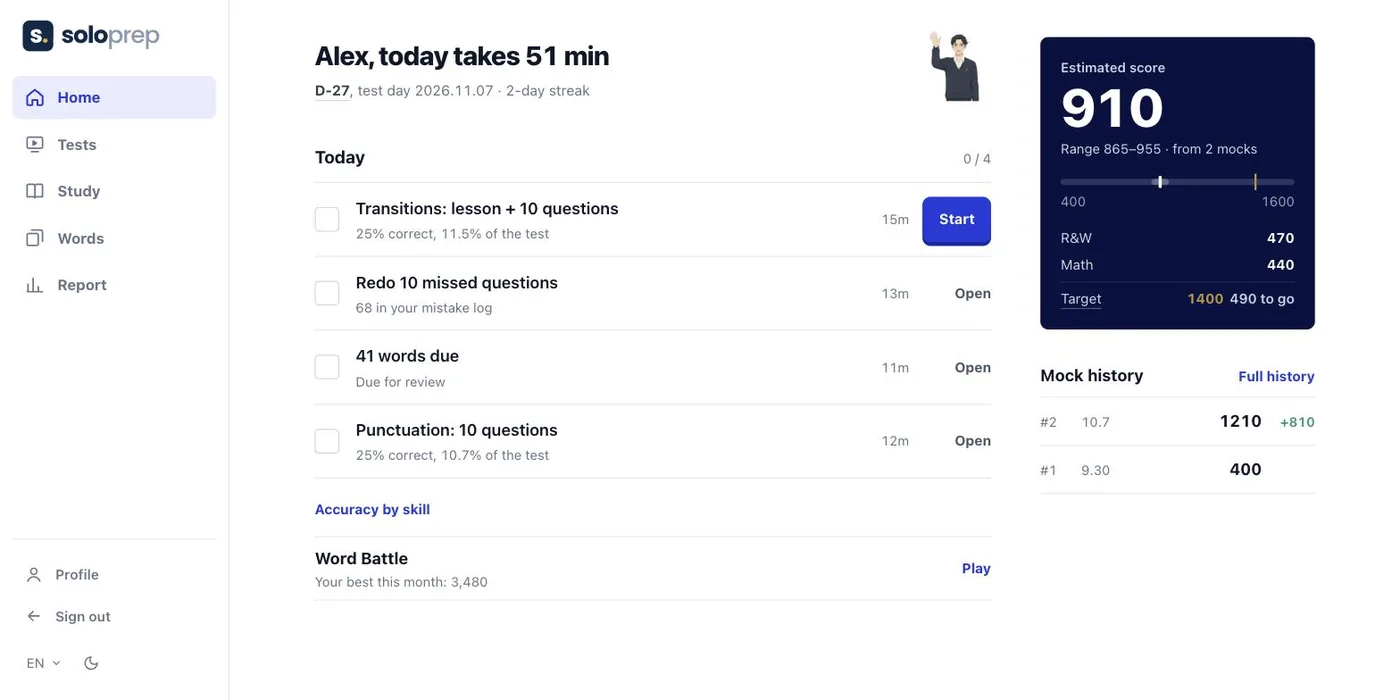
The platform has five areas, each one tab in the app: Home, Tests, Study, Words and Report. You sign up with a Google account, and the same account works for the free diagnostic test on this site.
| Area | What you do there |
|---|---|
| Home | Today's plan, built from your weakest question types, plus your estimated score and recent tests |
| Tests | Full-length Digital SAT mock tests with two Reading and Writing modules, two Math modules, adaptive routing and a timer |
| Study | Lessons and practice for each skill, the question bank, weak-spot practice, a mistakes list, saved questions, speed drills and a Desmos track |
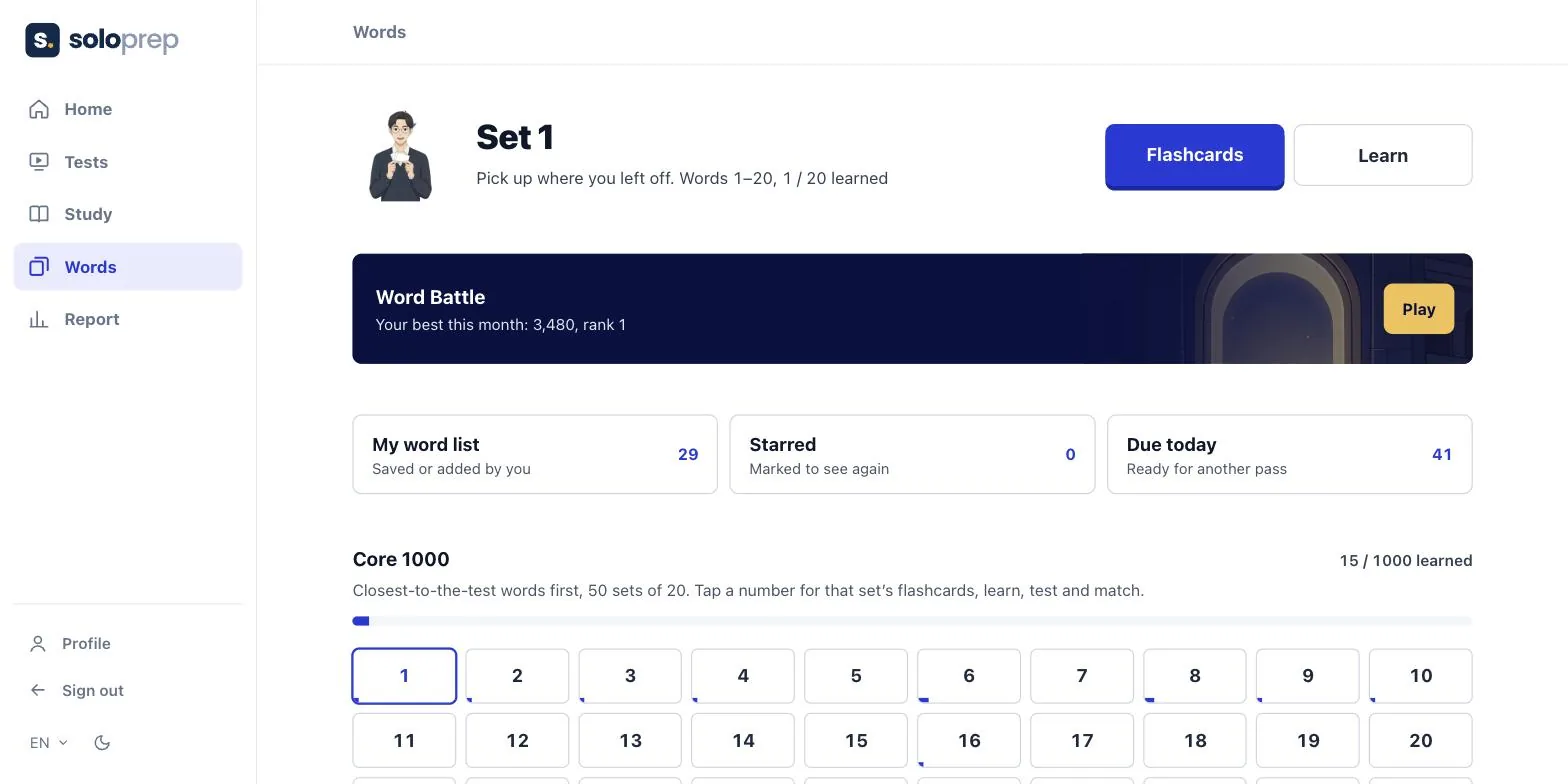
| Words | A core list of 1,000 SAT words in 50 sets, with flashcards, learning and test modes and the Word Battle game |
| Report | Accuracy by question type, time per question and a link parents can open without an account |
Full-length mock tests that work like the real SAT
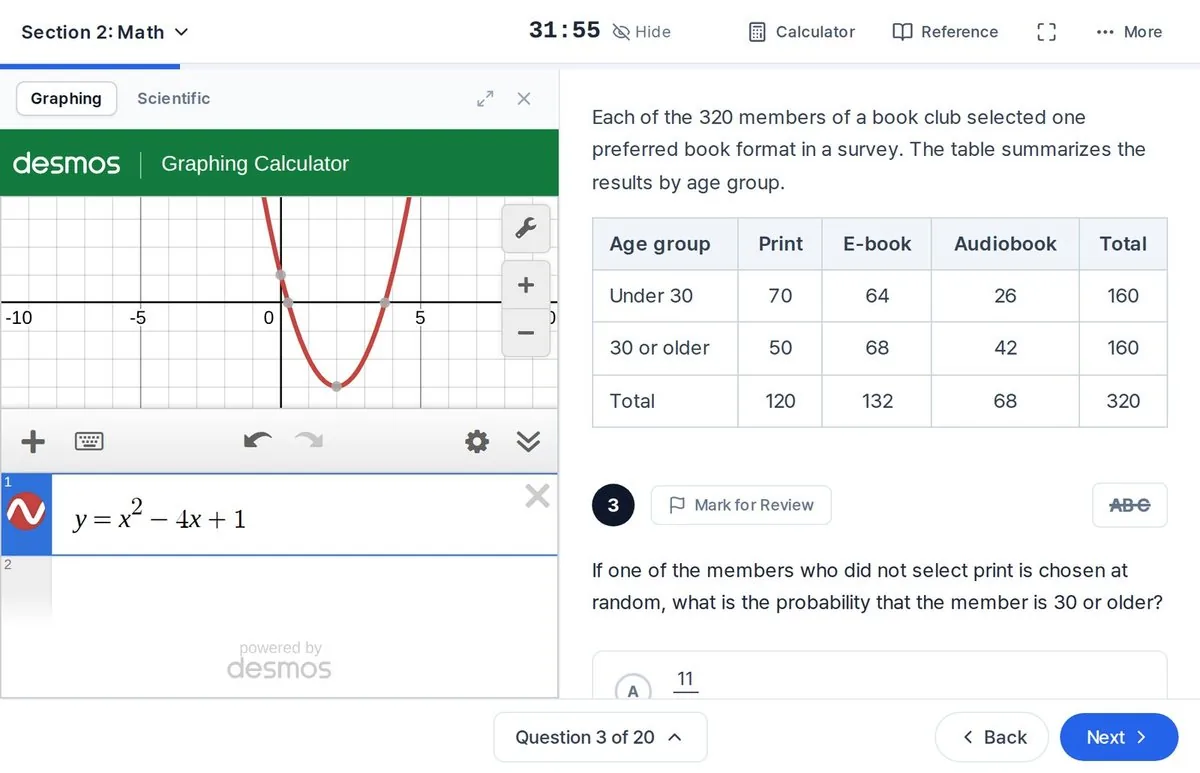
The test screen copies the layout students will see on test day: a split screen for Reading and Writing, a built-in Desmos graphing calculator and reference sheet for Math, Mark for Review, an answer eliminator and a highlighter. The second module of each section gets harder or easier depending on how the first one went, as on the real test.
Scores appear as soon as you submit, with accuracy by domain and by question type. More on how the tests are built is on the Solo Prep mock test page.
Lessons and drills, one skill at a time
The Study tab follows the College Board domains. Each skill, such as Words in Context or Linear Equations, has the same three steps: a short lesson, practice questions, then a mastery check. The app shows how far along you are in each skill and how much of the section each domain covers.
- Question bank. Filter by section, skill and difficulty, then drill. The bank holds more than 2,500 questions written by Solo Prep.
- Weak spots. Practice starts from the question types where your accuracy is lowest.
- Mistakes. Every question you missed is kept so you can redo it.
- Speed drill. Timed sets for students who know the material but run out of time.
- Desmos track. Math questions you can solve faster by graphing.
The Digital SAT is adaptive, so a student aiming high has to handle the hardest version of each question type. Every skill is drilled at easy, medium and hard levels. See SAT structure for how the modules work.
SAT vocabulary with flashcards and a game
The Words tab starts with a core list of 1,000 words, ordered so the ones closest to the test come first, in 50 sets of 20. Each set has flashcards, a learn mode, a test and a matching game. Words come back for review on a schedule, and the app shows how many are due today.
You can also save words straight from a Reading and Writing passage you just answered. The core list comes from the Solo Prep vocabulary book, described on the Solo Prep books page.
Reports for students and parents
The Report tab shows accuracy for every question type, how long you take per question and the reasons you marked for your mistakes. A student can create a share link so a parent can see the same report in a browser without signing up.
How to start
- Take the free diagnostic
The 56-minute diagnostic has 20 Reading and Writing and 20 Math questions and shows which question types to study first.
- Create your account
Sign up at test.satsoloprep.com with Google. Coming from this page, the app opens in English; you can switch languages at the bottom of the menu.
- Follow the daily plan
The Home tab sets a plan from your results. Take a full-length mock test every few weeks to check your progress.
Questions about the platform go to support@satsoloprep.com.
FAQ
Is the Solo Prep platform in English?
Yes. The app has an English interface, and the questions are in English as on the real SAT. Switch the language with the EN selector in the menu.
Do I need to be in a Solo Prep class to use it?
No. Anyone can sign up with a Google account and study on their own. Students in Solo Prep classes use the same account, and their tutor reads their reports.
How is this different from Bluebook?
Bluebook is the official College Board app for full-length practice tests and the real exam. The Solo Prep platform adds lessons and drills for each question type, a mistakes list, vocabulary practice and reports by question type. We suggest using both: see official SAT practice tests.
Can parents see progress?
Yes. A student can share a report link, and a parent can open it in a browser without an account.